 Money Tree
By Money Tree team,
How automatic transaction categorization works
Short answer: automatic categorization reads the merchant name and details on each bank transaction and places it into a group such as groceries, dining or transport. It turns a long list of purchases into a few totals you can compare with a budget, without you sorting each one.
It's not magic, and it's not perfect, but knowing how it works helps you trust the totals.
What does categorization actually do?
Your bank sends each purchase as a short description: a merchant name, a date and an amount. A categoriser matches that description against known patterns. A supermarket name points to groceries. A rail operator points to transport.
Why it matters
A month of 120 transactions is hard to read. Six category totals are easy. Once spending is grouped, patterns show up: dining creeping up, transport steady, groceries lower than you thought.
Where it slips
- Shops that sell everything. A store with groceries, clothes and homewares can land in any of them.
- Cryptic descriptions. Payment processors and abbreviations hide the real merchant.
- Personal payments. A transfer to a friend could be a gift, a share of rent or a refund.
A worked example
| Transaction | Likely category |
|---|---|
| Supermarket, $62 | Groceries |
| Rail ticket, $14 | Transport |
| Cafe, $9 | Dining |
| Online store, $38 | Shopping |
| Unclear processor name, $25 | Needs a look |
Four out of five are placed without you doing a thing. The fifth is the one worth a glance.
Common mistakes
- Trusting it blindly. Skim the list now and then.
- Too many categories. Broad groups are easier to keep right.
- Ignoring "other". A large "other" total means something is being missed.
- Waiting a whole month. A weekly look catches errors while you still remember the purchase.
How to do it in Money Tree
- Connect your bank. Money Tree connects read-only through secure bank data providers and syncs daily, so transactions arrive on their own.
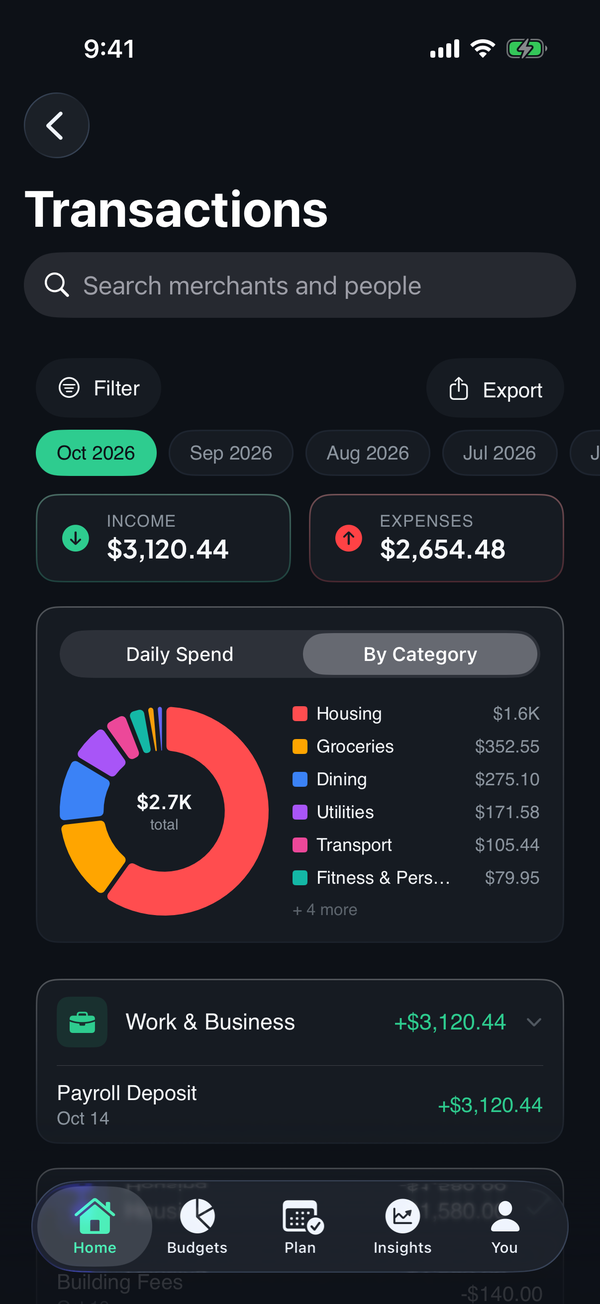
- See spending by category. Open Transactions and switch to By Category to see a donut of where the month went.
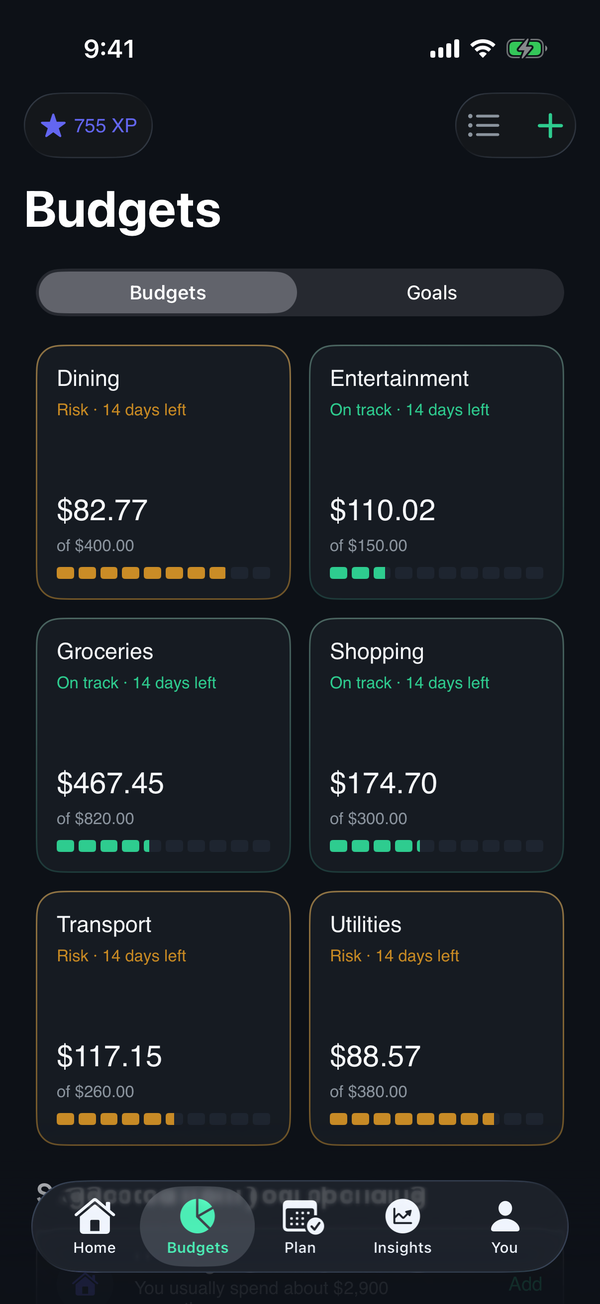
- Set budgets on the same groups. Budgets by category come with suggested limits based on recent spending, so totals and limits line up.
See what Money Tree does or download it on the App Store. New users get a 7-day trial of every feature.
Frequently asked questions
How does automatic expense categorization work? The app reads the merchant name and details on each bank transaction and matches them to a category such as groceries, dining or transport. Common merchants are easy to place. Unusual ones can be missed.
Is automatic categorization always accurate? No. Names that are vague or shared by shops that sell many things can land in the wrong group. It's worth glancing over the list now and then and correcting anything odd.
Why does categorising spending matter? Grouping purchases turns a long list into a few totals you can compare against a budget, so you can see which areas are growing.
Money Tree is a personal finance tool, not financial advice. This article is general information and doesn't take your circumstances into account.