 Money Tree
By Money Tree team,
How to stop paying late fees with bill reminders
Short answer: most late fees come from forgetting, not from being short of money. Keep one list of every bill with its due date, set a reminder two days before each one, and let the list come from your bank feed so the odd ones aren't left off.
You open the email and your stomach drops. "Payment overdue. A late fee of $15 has been added." You had the money. You just didn't know it was due. Or you knew, on the 3rd, and forgot by the 9th.
It happens to careful people. Here's how to make it stop.
Why bills get missed
- They're spread out. One on the 1st, one on the 9th, one on the 22nd. No single day is "bills day."
- Some only come now and then. Yearly insurance. A bill that comes every three months. A membership that renews once a year. They aren't in your monthly rhythm.
- The name doesn't match. The card statement says a company you don't recognise, so it doesn't register as a bill.
- The reminder is the bill itself. By the time the email comes, the due date is close or gone.
Five fixes
1. Put every bill on one list
Rent, power, phone, internet, insurance, subscriptions, loan repayments. One list, with the amount and the day it's due. If you've never done this, your last three months of statements will show the repeats.
2. Set the reminder before the bill, not on the day
A reminder on the due date is too late if the money's in the wrong account. Two days before gives you time to move it. For a big bill, a week.
3. Look at the month as a calendar
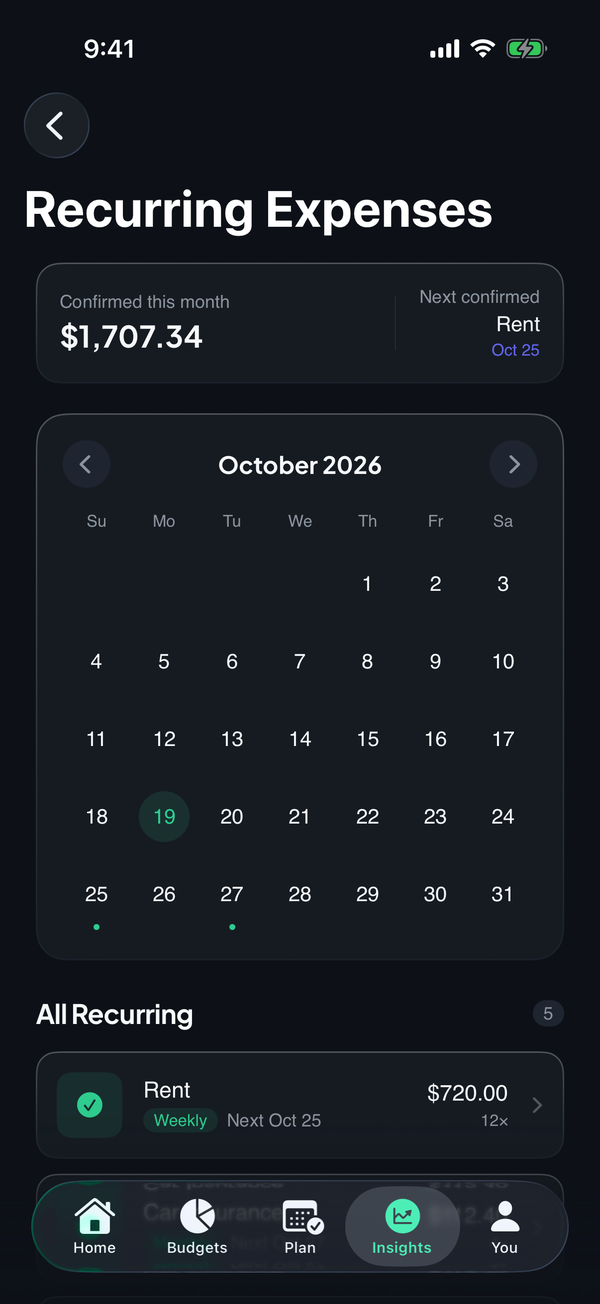
A list tells you what. A calendar tells you when. Seeing three bills land in the same week, right before payday, is the thing you want to know in advance.
4. Catch the once-a-year ones
Go through last year's statements for the same month. Anything that charged you then will probably charge you again. Put it on the list now, while it's quiet.
5. Keep the money for bills apart
If the bills come out of the account you spend from, a good weekend can leave a bill short. Many people keep bill money in its own place, or at least keep a buffer that covers the next one due.
Where it goes wrong
- A list in your head. It works until the busy week.
- Reminders you swipe away. Make the reminder say the amount and the account, so it's an action, not a nag.
- Only tracking monthly bills. The yearly ones are the ones that bite.
- Fixing it after the fee. A fee is a signal to set up the list, not just pay the bill.
How to do it in Money Tree
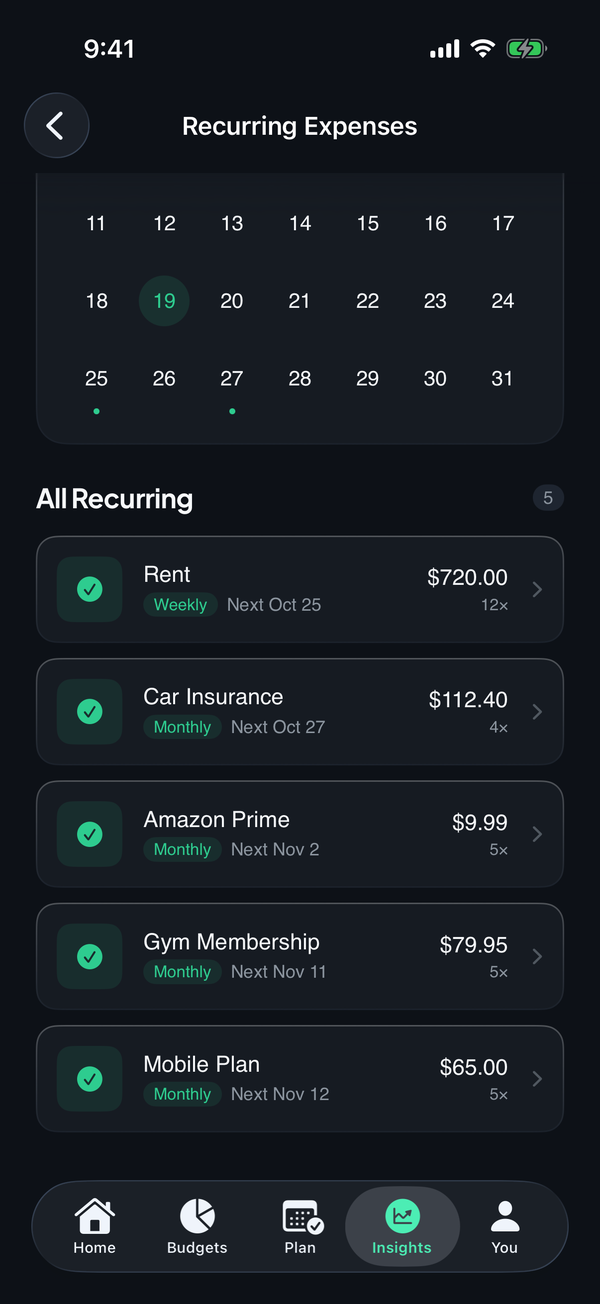
- Let your bank build the list. Recurring payments are detected from your connected accounts, so subscriptions and bills show up without typing.
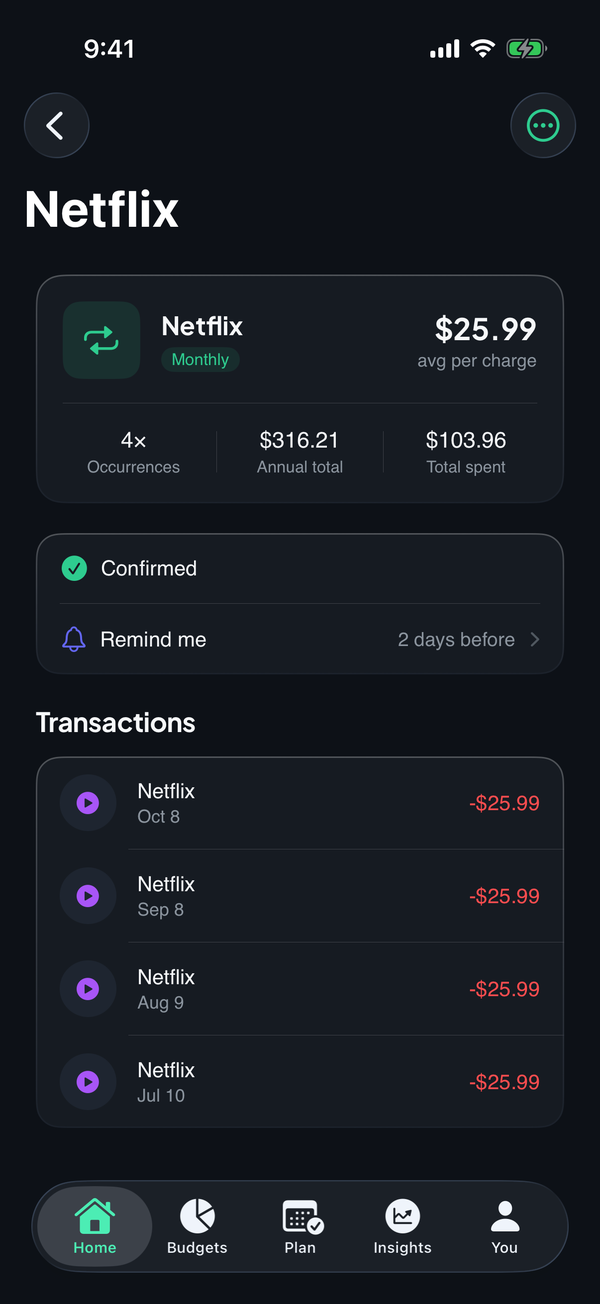
- Set a reminder on each bill. Open a bill and choose how many days before the charge you'd like the reminder.
- Check the calendar for the busy week. The recurring calendar shows every charge date for the month, with the next one up top.
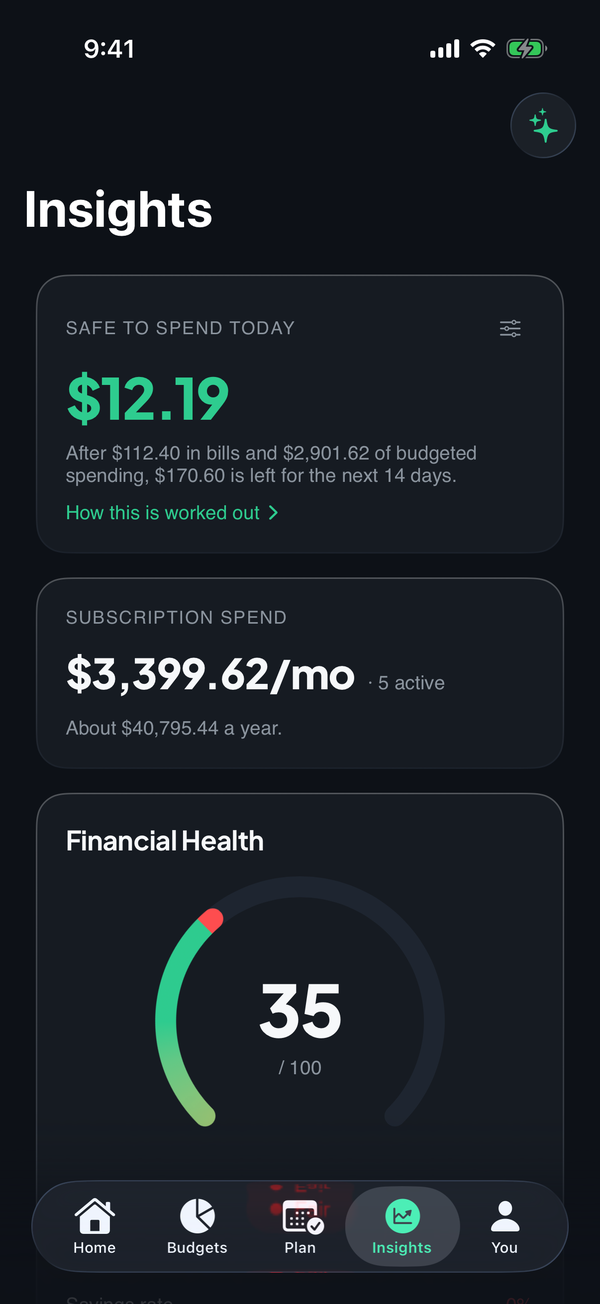
- See what's safe to spend after the bills. Safe to Spend takes upcoming bills out first, so the bill money is never counted as spending money.
See what Money Tree does or download it on the App Store. New users get a 7-day trial of every feature.
Frequently asked questions
How do I remember to pay my bills on time? Keep one list of every bill with its due date, and set a reminder a couple of days before each one. If the list comes from your bank feed, nothing gets left off.
How many days before a bill should the reminder be? Two days is a common choice. It's close enough that the bill is real, and far enough to move money across if the account is short.
What bills do people forget most? The ones that don't come monthly: yearly insurance, a bill that comes every three months, a membership that renews once a year, and anything charged under a name you don't recognise.
Money Tree is a personal finance tool, not financial advice. This article is general information and doesn't take your circumstances into account.